- License activation and validation requests now pin an explicit Polar API version, so a future Polar API rotation can no longer silently break licensing.
Syphoner
Capture any visible macOS window and publish it live as a Syphon source — with document-based setups, crop, cursor, and crosshair overlays.
macOS 14.6+
Universal
v2.3
Syphon
Download Syphoner before buying a license. Polar handles the purchase and license key only; it does not provide the app download.
§ 01 — About
Capture any visible macOS window and publish it live as a Syphon source — with document-based setups, crop, cursor, and crosshair overlays.
Built for technicians, VJs, projection-mapping teams, and creative coders who need a clean bridge between macOS applications and a Syphon-enabled host.
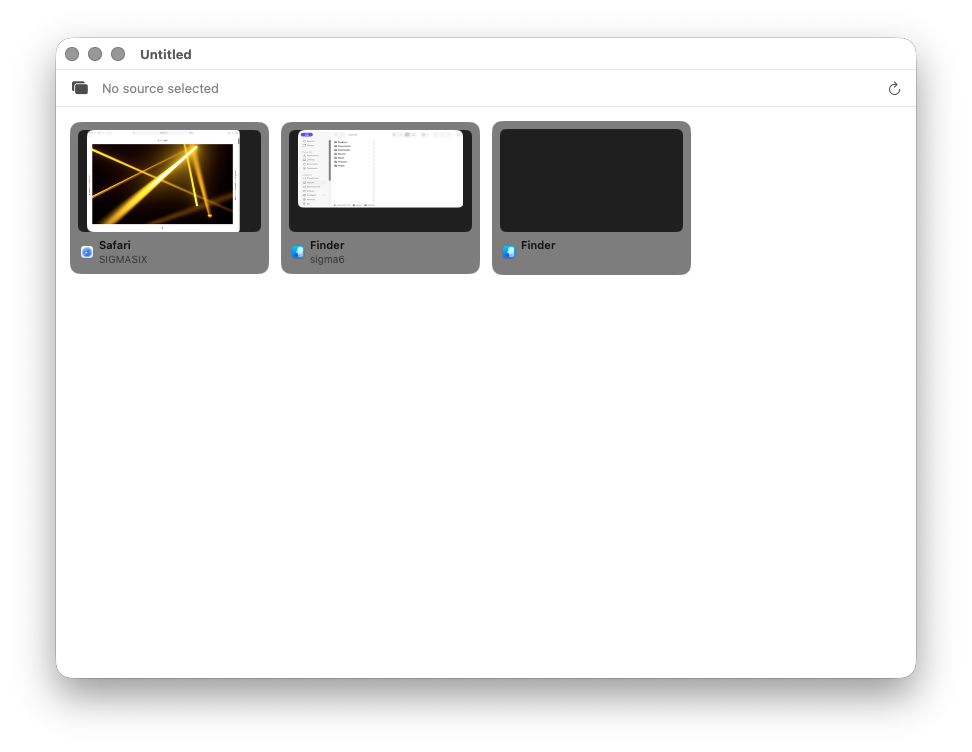
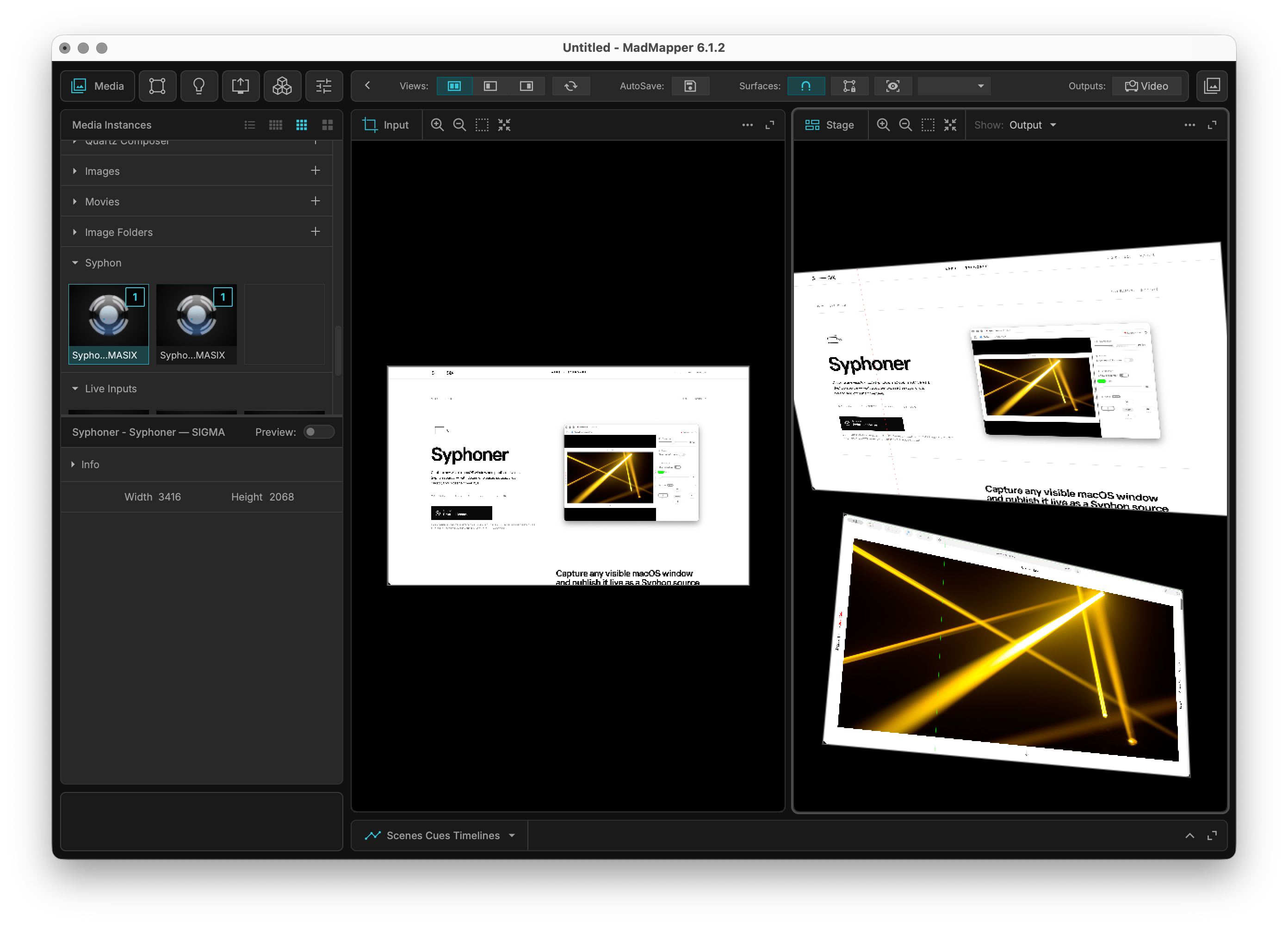
Syphoner takes the graphical content of a visible window — a browser, a media player, a presentation, a custom tool — and exposes it as a live Syphon source for MadMapper, Resolume, Isadora, VDMX, TouchDesigner, or any Syphon client running on the same Mac.
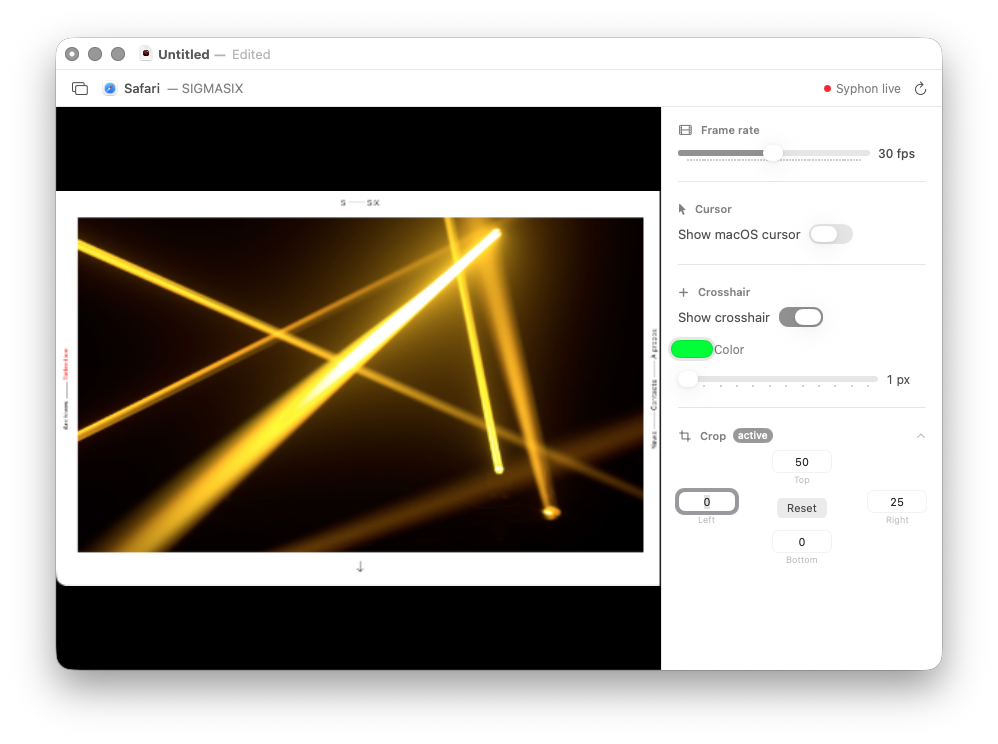
The current rewrite is built around modern macOS capture APIs and a document-based workflow. Each .syphoner document stores a capture setup with its source, frame rate, crop, cursor overlay, and crosshair settings, so show-specific configurations can be reopened instead of rebuilt from scratch.
§ 02 — Features
Three things it does well.
01
Window to Syphon
Choose a visible window and publish it as a real-time Syphon source, ready for live video, mapping, VJ, and installation workflows.
02
Document setups
Save each setup as a .syphoner document with its capture source, frame rate, crop, cursor overlay, and crosshair settings.
03
Live overlays
Composite the macOS cursor or a configurable crosshair directly into the Syphon output, and crop away title bars or unwanted interface areas.
§ 03 — Gallery
Screenshots.
§ 04 — Requirements
What you need.
Operating system
macOS 14.6 or later
Architecture
Universal binary — Apple Silicon & Intel
Capture
ScreenCaptureKit
Frameworks
Syphon framework included
Permissions
Screen recording (granted at first launch)
Latest version
2.3 — pinned Polar API version for license reliability
§ 05 — Release notes
What's new.
- Syphoner now runs on macOS 14.6 again.
- Syphon server cleanup when capture windows or documents are closed, preventing inactive sources from staying visible in Syphon clients. The built-in Help book is now available in English and French.
- Complete Swift/SwiftUI rewrite using ScreenCaptureKit
- Metal/Syphon output pipeline for GPU-native texture sharing
- Document-based .syphoner files for reusable capture setups
- Crop, cursor overlay, and configurable crosshair controls
- Trial mode with license activation
- Saving files works again
- Extended beta validity until January 1, 2022
- Known issue: saving and opening projects was unstable
- Minor bug corrections
- Extended beta validity until October 31, 2021
- Minor bug corrections
- Working again with macOS Catalina
- Beta version valid until October 31, 2020
- Bug fixes
- Save and open projects are back
- The syphoned app name was added to the Syphon server name
- Multiple windows could be streamed by duplicating the app
- Bug fixes
- Compiled for macOS 10.10
- First public release
§ 06 — FAQ
Quick answers.
01 Can I try Syphoner before buying?
Syphoner can be evaluated in trial mode, then requires a valid license to keep publishing without restriction.
02 Why is Syphoner distributed through Polar.sh?
Syphoner is distributed through Polar.sh because the Mac App Store sandbox prevents the capture and Syphon workflow that the app needs. Purchases, license keys, activation management, and invoices are handled by Polar.
03 Syphoner can't see one of my windows — what's going on?
Make sure you've granted Screen Recording permission in System Settings → Privacy & Security. After granting it, quit and relaunch Syphoner. Some apps (notably DRM-protected video players like Apple TV) deliberately black out their windows from any capture tool — that's not something Syphoner can work around.
04 Why does Syphoner need Screen Recording permission?
macOS requires explicit Screen Recording permission before any app can capture the contents of other application windows. Syphoner uses that permission only to capture the window you select and publish it as a Syphon source.
05 Why does a video window appear black?
Some applications, especially DRM-protected video players and streaming services, intentionally block capture at the system level. If macOS only gives Syphoner a black frame, Syphoner cannot bypass that protection.
06 Why is the Syphon output larger than the visible window?
On Retina displays, macOS windows can be captured at backing-pixel resolution. A 960 × 540 point window may therefore produce a 1920 × 1080 Syphon texture. Crop removes pixels from the captured output if you need to trim title bars or interface edges.
07 Will the cursor overlay show in my Syphon client?
Yes. The cursor and crosshair overlays are rendered into the Syphon output, so they appear in any client picking up the stream (MadMapper, Resolume, etc.).
08 What happens in trial mode?
Trial mode keeps the app usable but adds a Syphoner trial watermark to the Syphon output. When the trial expires, Syphoner stops publishing until a valid license is activated.
09 Can I get a refund?
Refunds and purchase support are handled by Polar.sh. Use your Polar purchase email or customer portal to manage the order.
Still stuck? Contact support →
Ready when you are.
Download Syphoner before buying a license. Polar handles the purchase and license key only; it does not provide the app download.